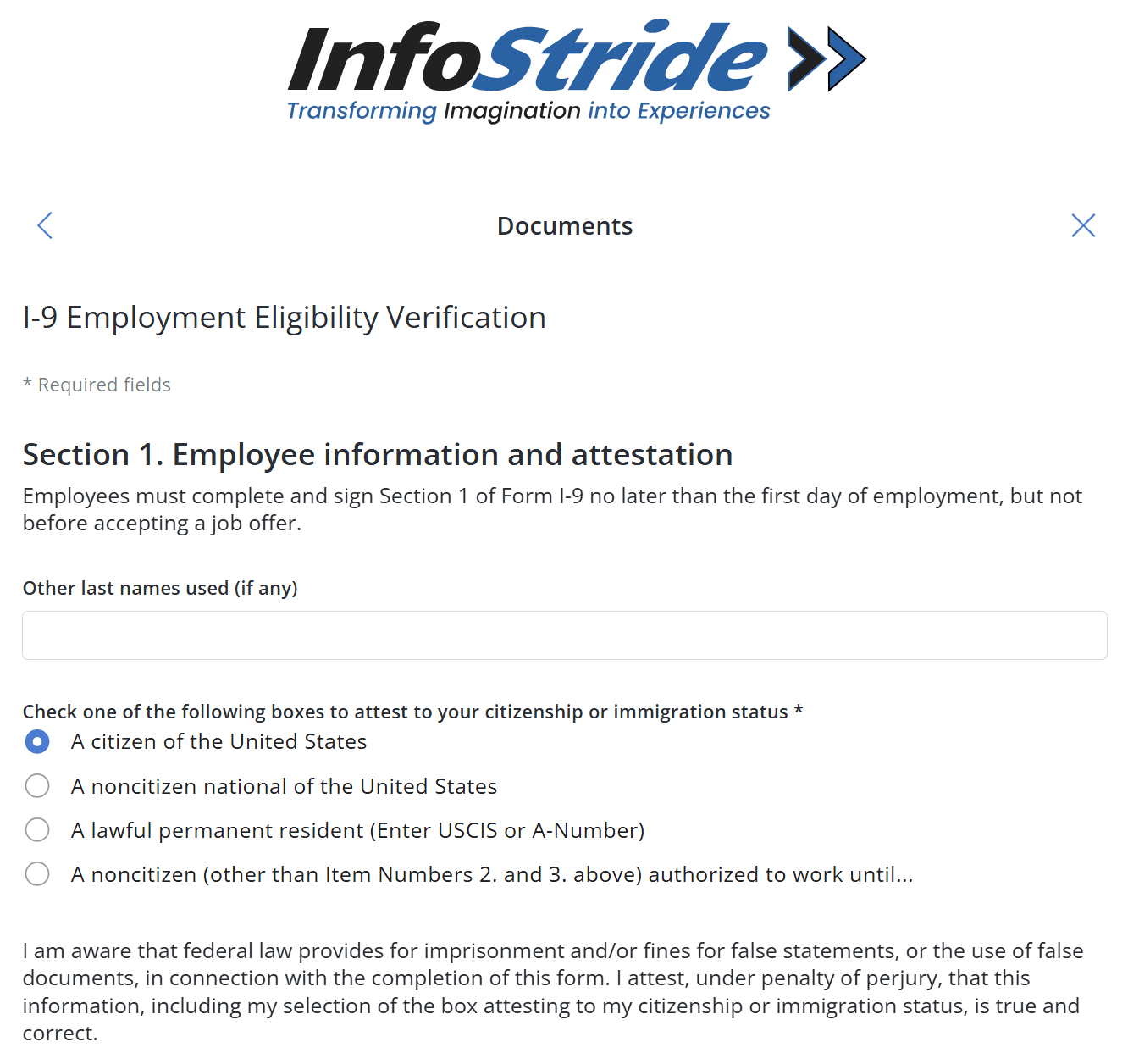
1. Enter Other Last Names Used, if any (e.g., maiden name). Leave blank if not applicable. 2. Select one option reflecting your citizenship or work authorization status: - A citizen of the United States - A noncitizen national of the United States - A lawful permanent resident (enter USCIS or A-Number if selected) - A noncitizen authorized to work (additional details required) 3. Read the legal declaration carefully. By proceeding, you attest the information is true and accurate under penalty of law. 4. Continue as prompted to move to the next section or submission step. HR may require additional document uploads or in-person verification after this step.
Upload documents that prove your identity and work authorization.
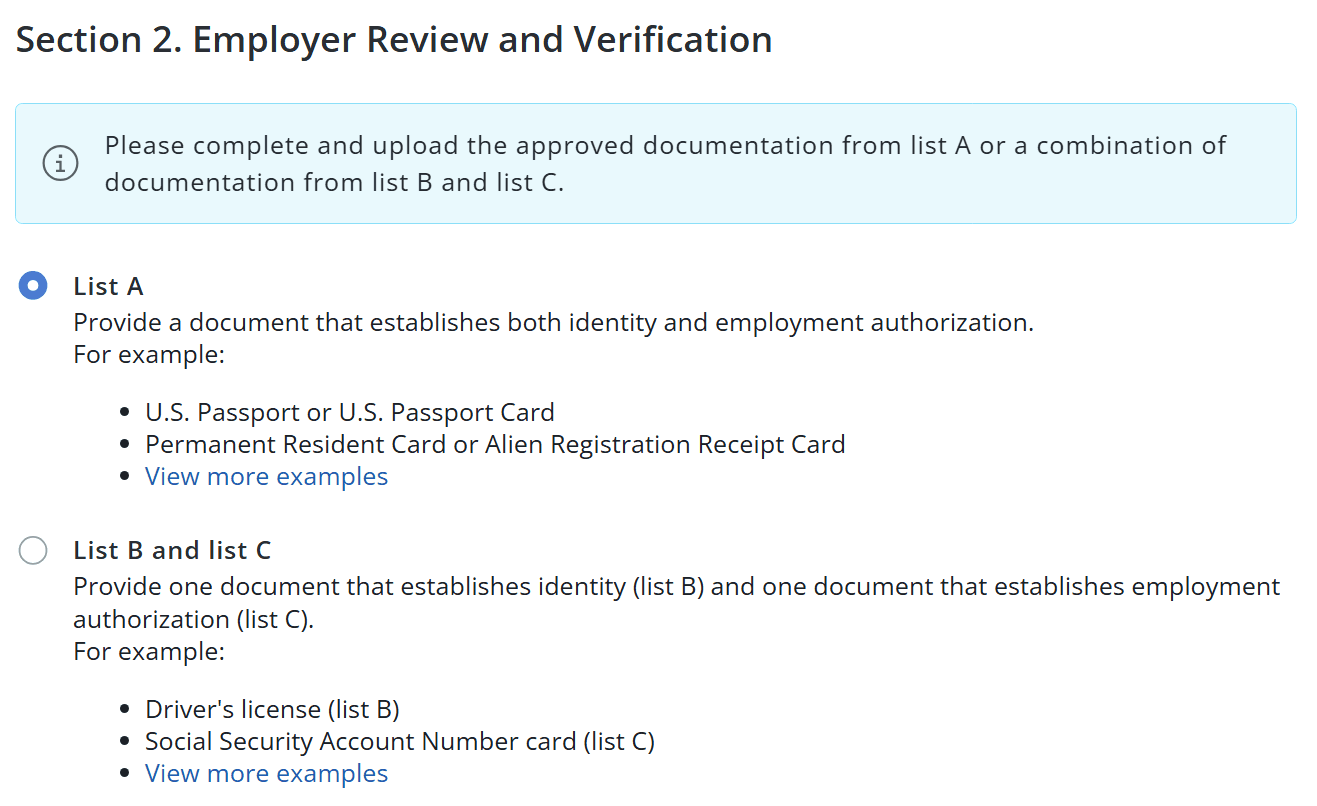
1. You will see two options: - List A (Recommended if available): one document that proves both identity and employment authorization (e.g., U.S. Passport, Permanent Resident Card) - List B and List C (Combination): provide two documents (List B = identity, List C = work authorization) 2. Choose the option that matches the documents you will upload.
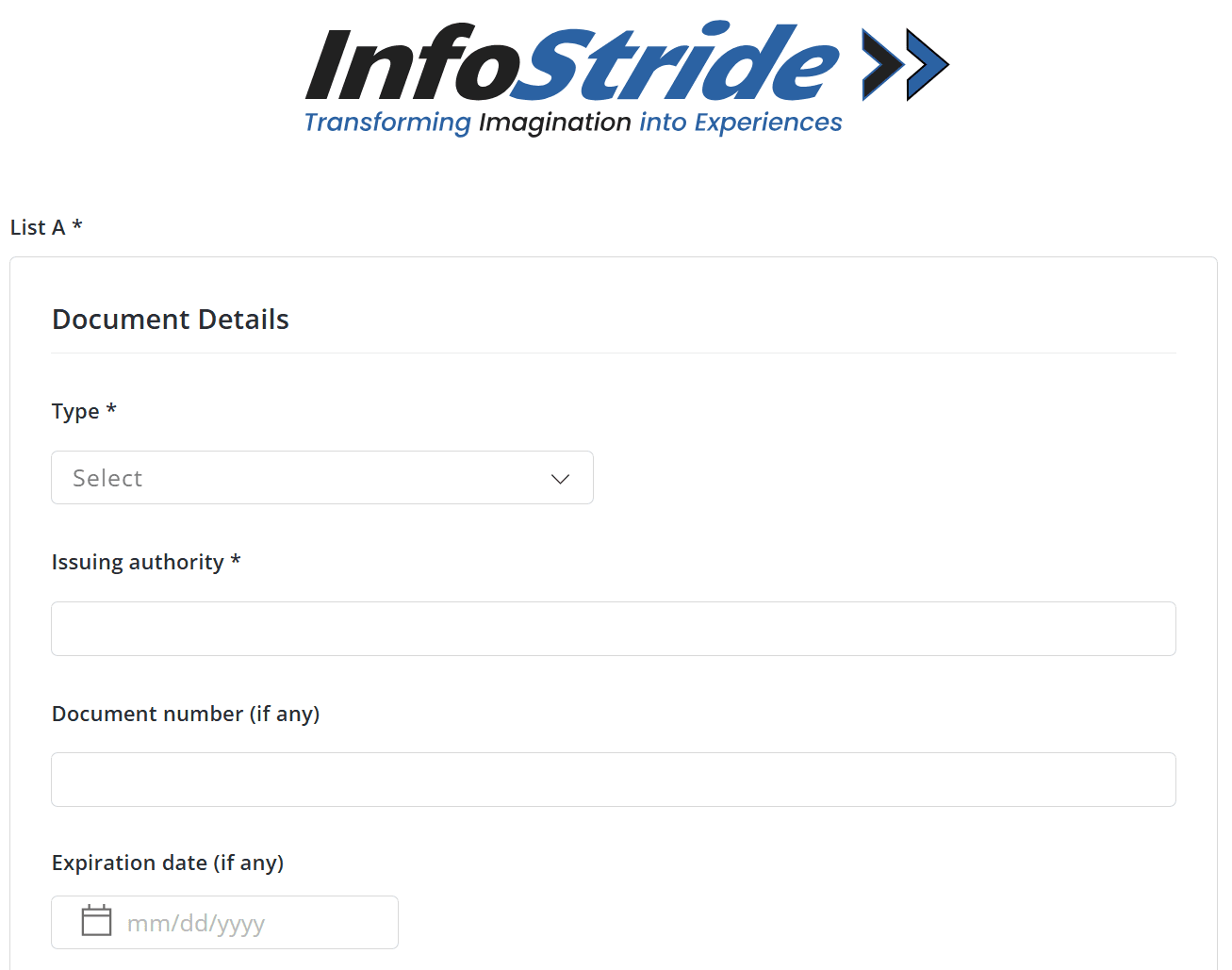
Required fields: 1. Type: Select document type (e.g., Passport, Driver's License) 2. Issuing Authority: Authority that issued the document 3. Document Number: ID number printed on the document 4. Expiration Date: if applicable Ensure the information matches your uploaded document exactly.
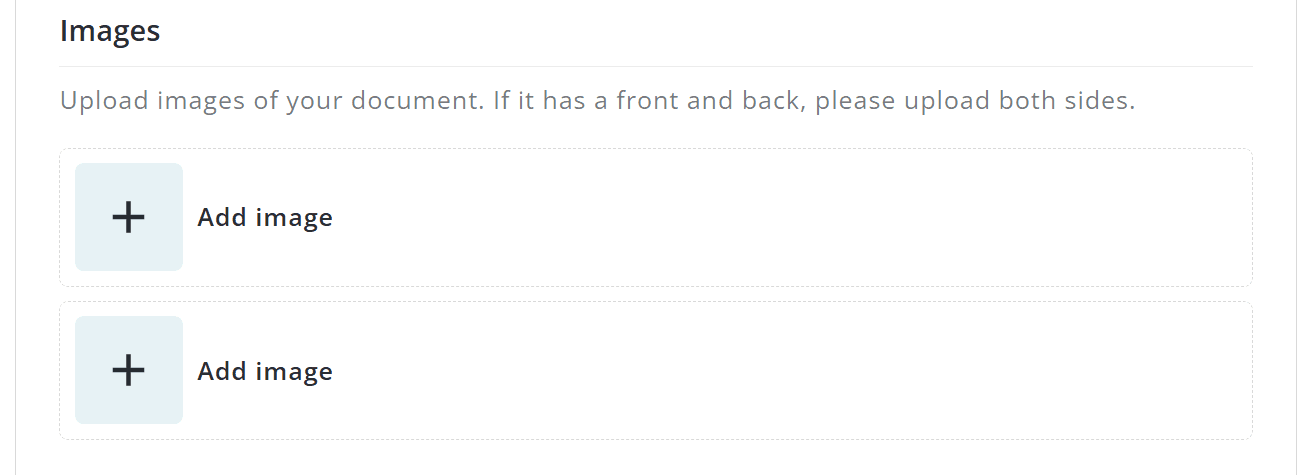
1. Click "Add image" to upload a photo or scanned copy. 2. If your document has front and back sides, upload both images. 3. Ensure images are clear, readable, and not cropped. Blurry or incomplete images may require resubmission.
- Check the box only if someone helped you complete Section 1 of the I-9 form. - If no one assisted, leave this unchecked. This section is only required if you received help completing the form.
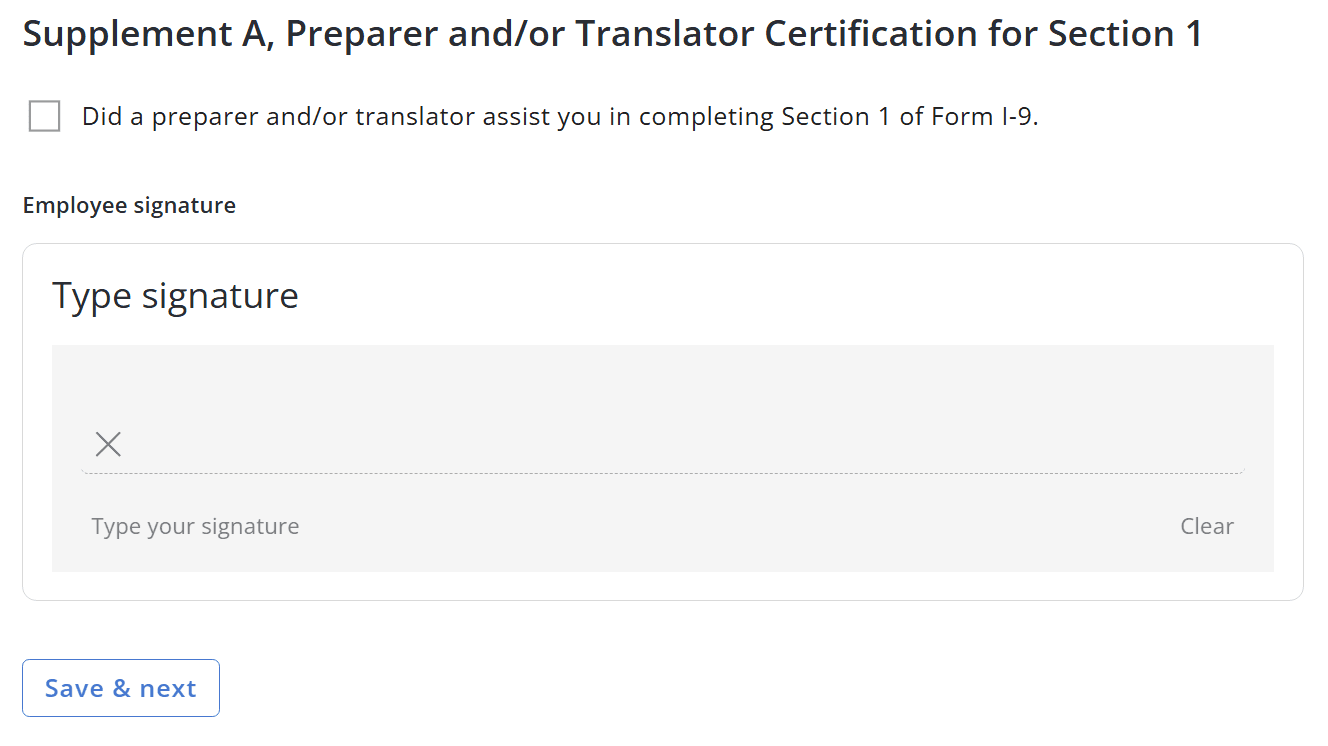
Type your signature at the bottom of the page and click Save & next.
